Best Home Automation Hubs in Australia 2026
Compare the best smart home hubs in Australia for 2026. Home Assistant, Apple TV, Amazon Echo and more � with AU pricing and privacy ratings.
Our Quick Picks
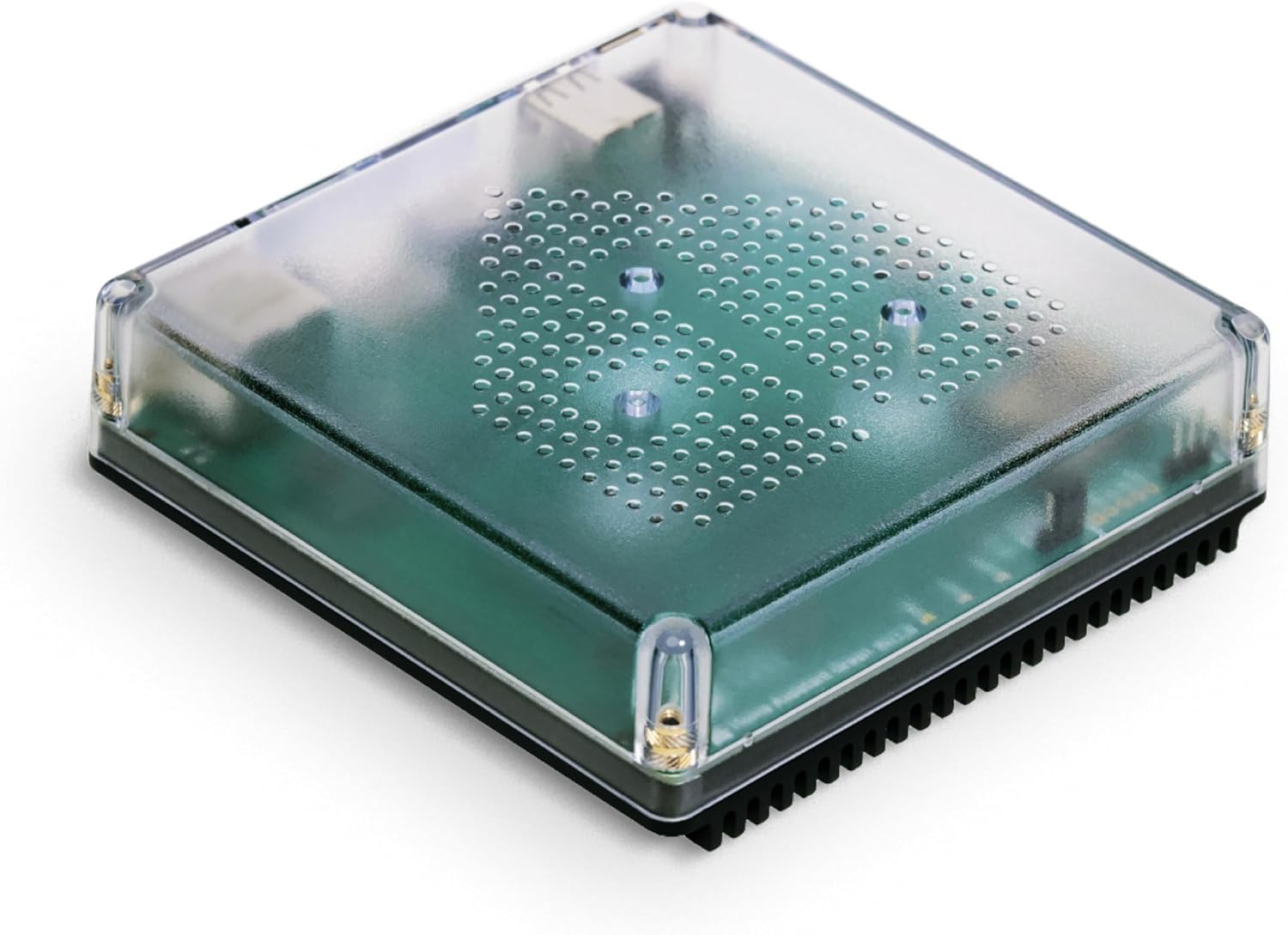
Home Assistant Green / Yellow
Unmatched flexibility, local control, massive community. Your data never leaves your home.
Data & Privacy: Fully open-source. All processing local by default. Optional Nabu Casa cloud subscription ($9.50 AUD/mo) for remote access and voice assistants — but entirely optional. No data collection. Regular security audits by community. CVEs addressed promptly via public disclosure.
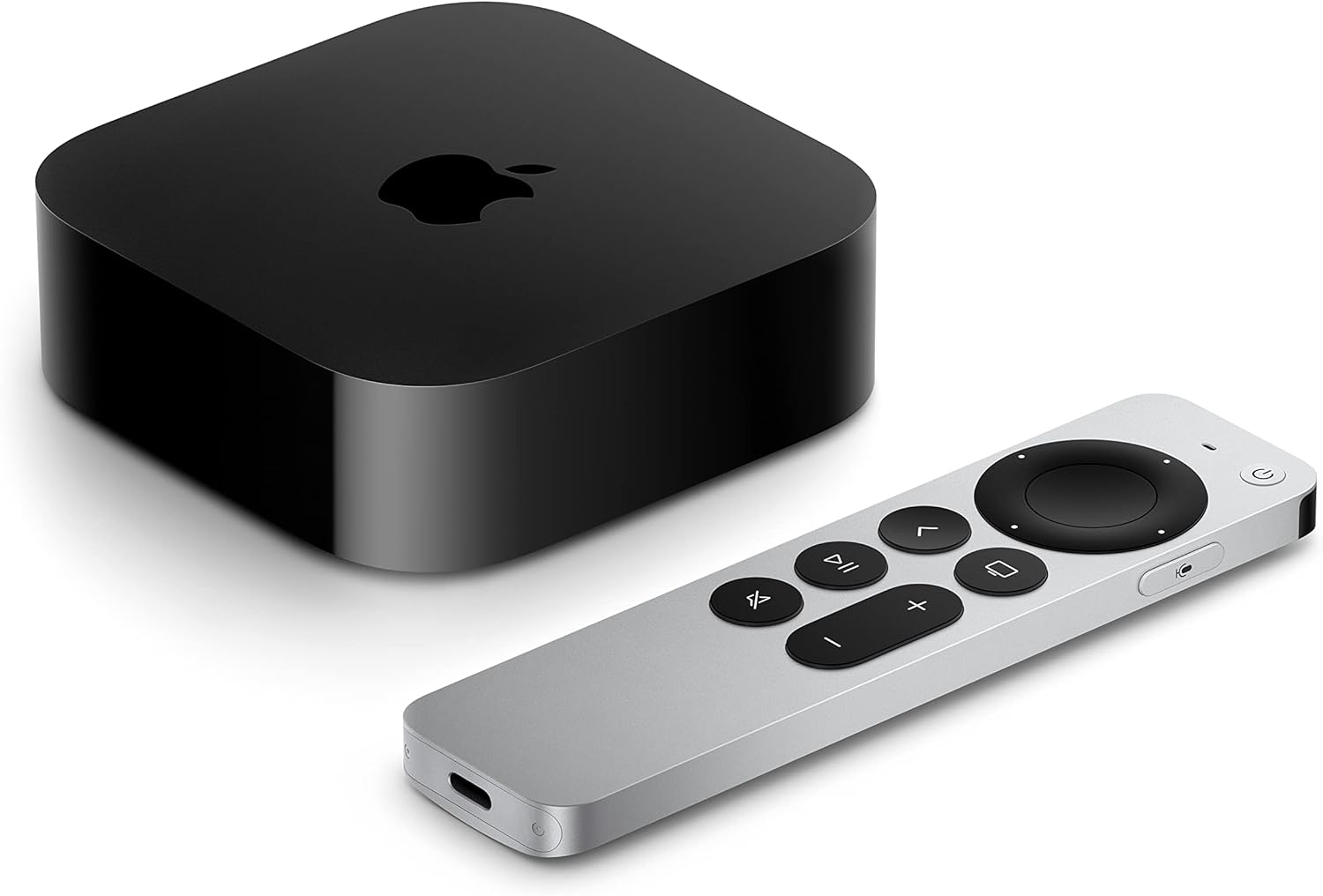
Apple TV 4K
Native HomeKit hub, Thread border router, strong on-device privacy.
Data & Privacy: HomeKit automations run locally. Remote access via iCloud relay (end-to-end encrypted). Apple does not access or sell smart home data. Strong track record on privacy. HomeKit Secure Video uses on-device analysis before encrypted iCloud upload.
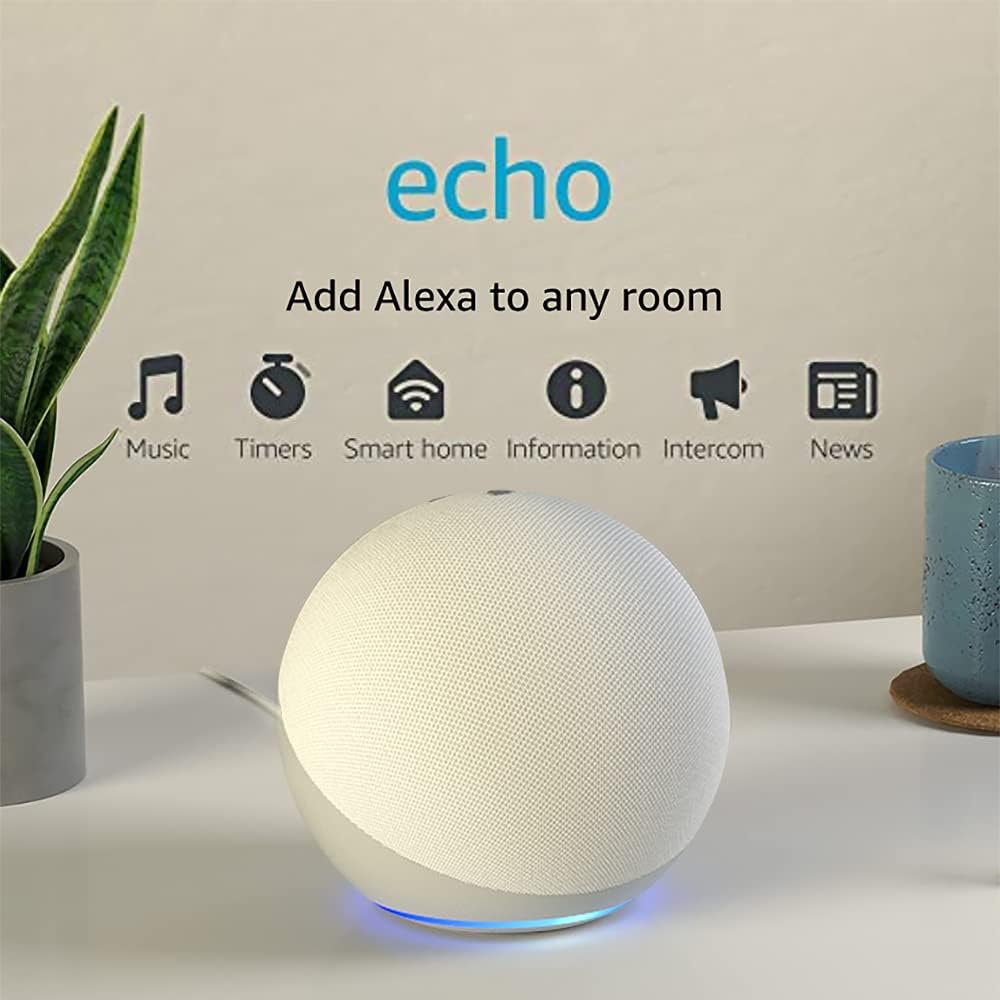
Amazon Echo (4th Gen)
Widest voice ecosystem, but heavily cloud-dependent.
Data & Privacy: Voice recordings stored on Amazon servers (opt-out available). 2023: Amazon fined US$25M by FTC for retaining children's Alexa voice data. 2024: Introduced on-device processing for some commands. Employees have had access to voice transcripts for quality review (opt-out available). Sidewalk network shares bandwidth with neighbours by default (opt-out available).
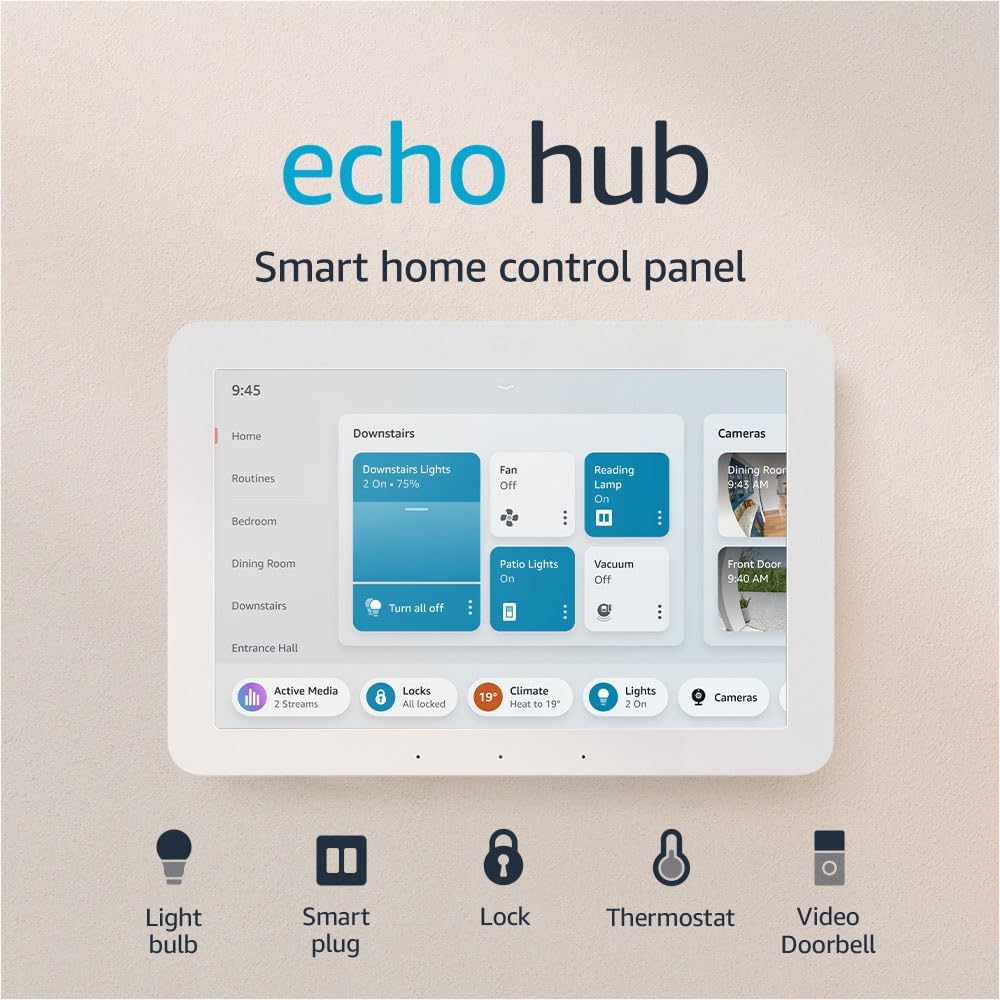
Amazon Echo Hub
8-inch smart home dashboard with Zigbee, Matter, and Thread built in.
Data & Privacy: Cloud-dependent for most features. Voice recordings stored on Amazon servers (auto-delete option available). 2023: Amazon fined US$25M by FTC for retaining children's Alexa voice data. Amazon Sidewalk shares bandwidth with neighbours by default (opt-out available). On-device processing for some commands introduced in 2024.
Whether you’re starting from scratch or upgrading a patchwork of smart devices, the hub you choose shapes your entire smart home experience. We’ve compared every major platform available to Australians — from plug-and-play options to full DIY powerhouses — so you can pick the right foundation.
The Hubs, Compared
1. Home Assistant (Green / Yellow / DIY)
The enthusiast’s dream — and increasingly, the mainstream choice.
| Detail | Info |
|---|---|
| Price (AUD) | Green: around $285 / Yellow: around $280 / DIY (Raspberry Pi): under $150 |
| Buy in AU | Amazon AU, Home Assistant store (ships to AU) |
| Protocols | Wi-Fi, Zigbee (with dongle or Yellow’s built-in), Z-Wave (with dongle), Thread/Matter (with SkyConnect or Yellow), Bluetooth |
| Matter support | ✅ Full Matter controller + can expose HA devices as Matter devices |
| Thread support | ✅ Thread border router via SkyConnect USB or Yellow’s built-in radio |
| Cloud required? | ❌ Fully local. Optional cloud via Nabu Casa ($9.50 AUD/month) for remote access & voice assistants |
| App | iOS, Android, Web dashboard |
Data & Privacy
| HQ | US (Nabu Casa Inc.) |
| Data stored | 🟢 Local — all data stays on your device |
| Cloud | 🟢 Not required — optional Nabu Casa relay is encrypted in transit |
| Security track record | Open-source codebase is publicly auditable. CVEs are disclosed and patched promptly. No data collection or telemetry by default. No account required to operate. |
Pros:
- Integrates with 2,500+ services and devices — nothing else comes close
- 100% local processing. Your data stays home
- Incredibly powerful automations (conditions, templates, scripts, Node-RED add-on)
- Active open-source community with constant updates
- The Green is genuinely plug-and-play now — no Linux knowledge needed for basics
- Energy monitoring dashboard built in
Cons:
- Advanced automations still require a learning curve (YAML, templates)
- Hardware not sold at mainstream AU retailers
- The Green lacks built-in Zigbee/Z-Wave radio (need SkyConnect USB, ~$50)
- When things break after an update, you’re troubleshooting yourself
- No official phone support
Best for: Tinkerers, privacy-conscious users, anyone who wants one hub to rule them all.
2. Apple HomeKit (Apple TV 4K / HomePod / HomePod Mini)
The “it just works” option — if you’re all-in on Apple.
| Detail | Info |
|---|---|
| Price (AUD) | Apple TV 4K: around $228 / HomePod: around $480 / HomePod Mini: around $150 |
| Buy in AU | Apple Store, JB Hi-Fi, Officeworks, The Good Guys, Amazon AU |
| Protocols | Wi-Fi, Thread (border router), Matter, Bluetooth |
| Matter support | ✅ Full Matter controller |
| Thread support | ✅ Thread border router (Apple TV 4K Wi-Fi+Ethernet, HomePod, HomePod Mini) |
| Cloud required? | Partially — HomeKit processing is local, but remote access uses iCloud |
| App | Apple Home (iOS/iPadOS/macOS/watchOS only) |
Data & Privacy
| HQ | US (Apple Inc.) |
| Data stored | 🟢 Local for automations / 🟡 US (iCloud) for remote access |
| Cloud | 🟡 Optional — local automations work offline, iCloud needed for remote |
| Security track record | Strong privacy stance. HomeKit data is end-to-end encrypted. Apple does not access or sell smart home data. HomeKit Secure Video uses on-device analysis before encrypted iCloud upload. No major smart home security incidents. |
Pros:
- Polished, reliable experience with zero maintenance
- Strong privacy stance — processing happens on-device
- Thread border router built in
- Excellent Matter support
- Widely available at every major AU retailer
Cons:
- Apple-only ecosystem — no Android, no web dashboard
- Fewer compatible devices than Alexa or Google Home
- No Zigbee or Z-Wave support
- Automations are basic compared to Home Assistant
- HomePod is expensive ($479)
Best for: All-Apple households who value simplicity and privacy over flexibility.
3. Amazon Echo Hub
The dedicated smart home dashboard — wall-mountable, protocol-rich, Alexa-powered.
| Detail | Info |
|---|---|
| Price (AUD) | Echo Hub: around $329 |
| Buy in AU | Amazon AU |
| Protocols | Wi-Fi, Bluetooth, Zigbee (built-in), Matter, Thread (border router) |
| Matter support | ✅ Full Matter controller |
| Thread support | ✅ Thread border router |
| Cloud required? | ✅ Yes — most automations and device control require Amazon cloud |
| App | Alexa app (iOS, Android), plus on-device 8” touchscreen dashboard |
Data & Privacy
| HQ | US (Amazon.com Inc.) |
| Data stored | 🟡 US (Amazon Web Services) |
| Cloud | 🔴 Required for most automations |
| Security track record | 2023: Amazon fined US$25M by FTC for retaining children’s Alexa voice data. Voice recordings stored on Amazon servers (auto-delete option available). Amazon Sidewalk shares bandwidth with neighbours by default (opt-out available). On-device processing introduced for some commands in 2024. |
Pros:
- Built-in Zigbee, Matter, and Thread — three protocols in one device
- 8” touchscreen designed specifically as a smart home control panel
- Wall-mountable — replaces a light switch or tablet mount
- Customisable dashboard with device favourites, routines, and cameras
- Works as an Alexa smart display for timers, weather, and video calls
Cons:
- Cloud-dependent — automations stop if Amazon’s servers go down
- No built-in speaker for music (pairs with Echo speakers)
- Privacy concerns — Amazon’s voice data practices
- Amazon Sidewalk enabled by default
- Only available via Amazon AU — no physical retail
Best for: People who want a dedicated wall-mounted smart home control panel with built-in radios for Zigbee, Matter, and Thread.
4. Amazon Alexa (Echo / Echo Hub / Echo Show)
The voice assistant king — massive ecosystem, but AU support lags behind the US.
| Detail | Info |
|---|---|
| Price (AUD) | Echo Dot: around $80 / Echo (4th Gen): around $169 / Echo Show 8: around $200 / Echo Hub: around $329 |
| Buy in AU | Amazon AU, JB Hi-Fi, Officeworks, Harvey Norman |
| Protocols | Wi-Fi, Bluetooth, Zigbee (Echo 4th Gen has built-in hub), Matter, Thread (Echo 4th Gen+) |
| Matter support | ✅ Matter controller |
| Thread support | ✅ Thread border router (4th Gen Echo and newer) |
| Cloud required? | ✅ Yes — heavily cloud-dependent |
| App | Alexa app (iOS, Android) |
Data & Privacy
| HQ | US (Amazon.com Inc.) |
| Data stored | 🟡 US (Amazon Web Services) |
| Cloud | 🔴 Required |
| Security track record | 2023: Amazon fined US$25M by FTC for retaining children’s Alexa voice data. Employees have had access to voice transcripts for quality review (opt-out available). Amazon Sidewalk shares bandwidth with neighbours by default (opt-out available). Voice recordings stored on Amazon servers (auto-delete option available). 2024: introduced on-device processing for some commands. |
Pros:
- Largest device ecosystem — virtually everything works with Alexa
- Built-in Zigbee hub on Echo 4th Gen
- Alexa Routines are surprisingly powerful
- Regular deep discounts on Amazon AU
Cons:
- Very cloud-dependent
- AU Alexa lags behind US in features
- Privacy concerns — voice recording storage
- Amazon Sidewalk enabled by default
Best for: People in the Amazon ecosystem, voice-control enthusiasts, bargain hunters.
Data & Privacy Comparison
| Hub | HQ | Data Stored | Cloud Required | Privacy Rating |
|---|---|---|---|---|
| Home Assistant | US | 🟢 Local | 🟢 No | 🟢 Best-in-class |
| Apple HomeKit | US | 🟢 Local / 🟡 iCloud | 🟡 Optional | 🟢 Very strong |
| Amazon Echo Hub | US | 🟡 US | 🔴 Yes | 🟡 Moderate (FTC fines, voice storage) |
| Amazon Alexa (Echo) | US | 🟡 US | 🔴 Yes | 🟡 Moderate (FTC fines, voice storage) |
Key: 🟢 Local processing / minimal data collection • 🟡 Cloud with reasonable privacy practices • 🔴 Cloud with notable privacy concerns or incidents
Note: This comparison reflects publicly available information as of February 2026. Privacy policies and data practices can change. We recommend reviewing each platform’s current privacy policy before making a decision.
Australia-Specific Considerations
NBN Router Compatibility
All hubs connect via Ethernet or Wi-Fi and work with any NBN router. However:
- Home Assistant Green requires wired Ethernet
- Zigbee interference: If your NBN router uses Wi-Fi channel 1, 6, or 11 (2.4GHz), Zigbee channels 15, 20, and 25 avoid overlap
AU Power Standards
All hubs listed use USB-C/Micro-USB or AU plug packs. No hub requires a neutral wire or hardwiring.
Where to Buy
| Hub | JB Hi-Fi | Officeworks | Bunnings | Amazon AU | Other |
|---|---|---|---|---|---|
| Home Assistant Green | ❌ | ❌ | ❌ | Limited | HA online store |
| Apple TV 4K / HomePod | ✅ | ✅ | ❌ | ✅ | Apple Store |
| Amazon Echo Hub | ❌ | ❌ | ❌ | ✅ | — |
| Amazon Echo | ✅ | ✅ | ❌ | ✅ | Harvey Norman |
Protocol Cheat Sheet: Matter, Thread, Zigbee & Z-Wave
- Matter — The universal standard. Every hub on this list supports it.
- Thread — Low-power mesh networking. Most modern hubs include a border router.
- Zigbee — Thousands of affordable devices. Bridgeable to Matter via many hubs.
- Z-Wave — Niche but reliable. Only Home Assistant (dongle) and SmartThings Hub v3 support it.
Our take for 2026: Buy Matter/Thread when available. Zigbee for sensors and budget. Don’t start new Z-Wave networks.
Recommended Combos
🏆 The Power User Setup
Home Assistant Green + SkyConnect USB + Zigbee sensors + Matter devices — around $430
🍎 The Apple Household
Apple TV 4K + HomePod Minis + Matter/Thread devices — around $500+
🗣️ The Voice-First Home
Amazon Echo (4th Gen) + Amazon Echo Hub + Matter devices — around $500
FAQ
Do I even need a hub in 2026?
If you have more than 5–10 smart devices from different brands, a hub makes life significantly easier: cross-brand automations, single app control, local processing, and Thread/Matter mesh networking.
Which hub works best with Matter?
Home Assistant, Apple Home, and Amazon Alexa have the most mature Matter implementations as of early 2026.
Can I use multiple hubs?
Yes. Matter’s multi-admin feature means a device can be controlled by multiple platforms simultaneously.
What happens during an internet outage?
- Home Assistant: Everything local keeps working ✅
- Apple HomeKit: Local automations keep working ✅
- IKEA DIRIGERA: Local device control works ✅
- Amazon Echo Hub: Most automations stop ❌
- Amazon Alexa (Echo): Most automations stop ❌
Is Home Assistant too hard for non-technical people?
The Green with default onboarding is genuinely approachable in 2026. Basic setup is all GUI-based. You only need YAML for advanced automations.
The Verdict
For most Australians in 2026, we recommend Home Assistant Green as your primary hub. It’s the most capable, most private, and most future-proof option.
If you’re an Apple household, an Apple TV 4K or HomePod Mini gives you a polished, private experience. Bridge in IKEA gear via Matter.
If you want a dedicated control panel, the Amazon Echo Hub gives you a wall-mountable touchscreen with Zigbee, Matter, and Thread built in — no extra dongles needed.
On privacy: If data sovereignty matters to you, Home Assistant (fully local) and Apple HomeKit (end-to-end encrypted) are the clear leaders. Cloud-dependent hubs (Amazon, SmartThings) send your data overseas — consider whether that trade-off is worth the convenience.
Have a correction or suggestion? Reach out — we want to get this right.